Article
How to Compress a Video to 25MB (Discord, Gmail & WhatsApp Size Limits Explained)
Hit Discord, Gmail or WhatsApp size caps. Learn what decides file size, why 10 minutes cannot stay 1080p at 25MB, and how to compress without a blocky mess.
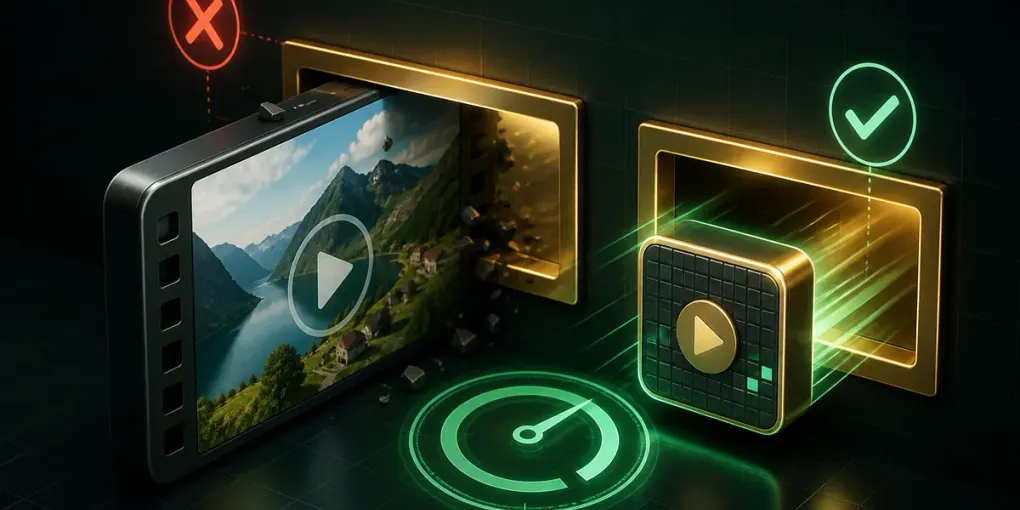
You try to attach a video. The upload bar fills, then stops: “File too large.”
It is one of the most common walls people hit online, and almost every guide answers it the same unhelpful way — “use a compressor” — without explaining what number to aim for or why your video came out looking like a mosaic afterwards.
This guide covers the part that actually matters: how file size is decided, what target size each platform needs, and why hitting a small target means giving up resolution rather than just “quality.”
1. The size limits you are actually fighting
| Where you are sending it | Limit |
|---|---|
| Discord (free) | 25 MB |
| Discord Nitro Basic / Nitro | 50 MB / 500 MB |
| Gmail attachment | 25 MB |
| Outlook attachment | 20 MB |
| WhatsApp video | 16 MB |
| Slack (free workspace) | 1 GB per file |
Two things follow from this table:
- 25 MB is the number that unlocks the most doors. It clears Discord’s free tier and Gmail at once, which is why it is the default target in most tools.
- 16 MB is the real constraint if WhatsApp is involved. Compressing to 25 MB and then discovering WhatsApp still refuses it is a wasted round trip.
2. Four things decide how big a video is
Understanding these four is the difference between guessing and knowing:
- Bitrate — how much data is spent on each second of video. This is the single biggest factor, and it is the one a compressor actually controls.
- Resolution — the pixel count per frame. Going from 4K to 1080p removes roughly three quarters of the pixels.
- Duration — a two-minute clip is about twice the size of a one-minute clip at the same settings.
- Codec — H.264 compresses far better than older formats. Modern codecs get more picture out of the same bitrate.
Note what is not on that list: a vague “quality” percentage. That slider is just an indirect way of setting bitrate, which is why it cannot tell you whether the result will actually fit.
3. The formula every “compress to size” tool runs
Target size and duration are the only two numbers you need:
Available bitrate = (target size in bits) ÷ (duration in seconds)A concrete example — 25 MB, ten minutes of video:
25 MB  = 209,715,200 bits
600 s  duration
209,715,200 ÷ 600 ≈ 349,000 bits per second ≈ 349 kbps
Subtract about 128 kbps for the audio track and roughly 220 kbps is left for the picture.
That number is the whole story. It is not a lot.
4. Why your compressed video looked like a mosaic
Here is the step most tools skip.
220 kbps spread across a 1920×1080 frame at 30fps means each pixel gets a vanishingly small share of the data. The encoder cannot represent detail it has no budget for, so it does the only thing it can: it throws away detail within each block of pixels. That is exactly what blocking artefacts are.
The fix is counter-intuitive: use fewer pixels. The same 220 kbps spread across a 426×240 frame is roughly twenty times more data per pixel. The video is physically smaller on screen, but what is there is clean rather than smeared.
This is the table our compressor works from — the largest resolution each bitrate can actually support:
| Video | Target | Available bitrate | Output resolution |
|---|---|---|---|
| 30 s, 1080p | 25 MB | 6,653 kbps | 1920×1080 (unchanged) |
| 1 min, 1080p | 25 MB | 3,262 kbps | 1280×720 |
| 2 min, 1080p | 16 MB | 957 kbps | 852×480 |
| 10 min, 1080p | 25 MB | 211 kbps | 426×240 |
A ten-minute video at 25 MB is a 240p video. There is no tool and no setting that changes that — the bits simply are not there. Anything claiming otherwise is either lengthening the file or lying about the output.
5. Three ways to keep more quality
If the resolution the maths gives you is too low, you have three levers — and they are all more effective than hunting for a “better” compressor:
Trim first. Duration is in the denominator. Cutting a ten-minute video to the three minutes that matter more than triples the available bitrate, which moves you from 240p to 480p or better. This is by far the biggest win available.
Drop the audio bitrate, or the audio itself. Speech is perfectly clear at 64 kbps. On a tight target that frees up bitrate for the picture, and a silent clip frees all 128 kbps.
Raise the target if you can. Discord Nitro Basic takes 50 MB. If the recipient can accept a link instead, the constraint disappears entirely.
6. Compressing to an exact size, step by step
Our video compressor is built around the target size rather than a quality slider, so the first export lands:
- Drop your video in. MP4, MOV, MKV and WebM all work. Nothing is uploaded, so a multi-gigabyte file opens instantly.
- Pick the target. 25 MB for Discord and email, 16 MB for WhatsApp, or type your own number.
- Check the encoding plan. The panel shows the resolution and bitrate it derived. If it says the resolution was lowered, that is the maths above doing its job — not a bug.
- Trim if the resolution looks too low. Shortening the clip is the single most effective quality lever.
- Export and check the result. The before/after panel shows both sizes and confirms whether you are under target.
Everything runs in your browser, which means there is no upload wait and no file size cap to work around — the usual irony of server-based compressors is that they refuse the large files you most need to compress.
7. Common questions
Can I compress without losing any quality? Not meaningfully. Compression works by discarding information. What a good compressor does is spend the remaining bits where they are least visible — which is why lowering resolution beats leaving a starved high-resolution image full of artefacts.
Why is my output slightly under the target? Encoders do not hit a requested bitrate exactly, so aiming a few percent under the limit is deliberate. A file at 24.6 MB sends; a file at 25.3 MB does not.
The compressed file is bigger than the original. Why? Your source was already compressed more aggressively than your target implies. If a 5 MB video is already efficient, asking for 25 MB gives the encoder permission to spend more, not less. Pick a target below the original size.
Which is better, lowering resolution or lowering frame rate? Resolution, in almost every case. Dropping 30fps to 15fps saves less than you would expect (similar frames compress well) and makes motion visibly stutter. Fewer pixels is the cleaner trade.
Related guides
- Trim a video down to the part that matters — the most effective way to keep quality under a size limit
- Resize video for Reels, TikTok and feed posts
- Convert GIF to MP4 and cut the file by 90%